Stop Staring at Red and Green. Start Seeing the Heat.
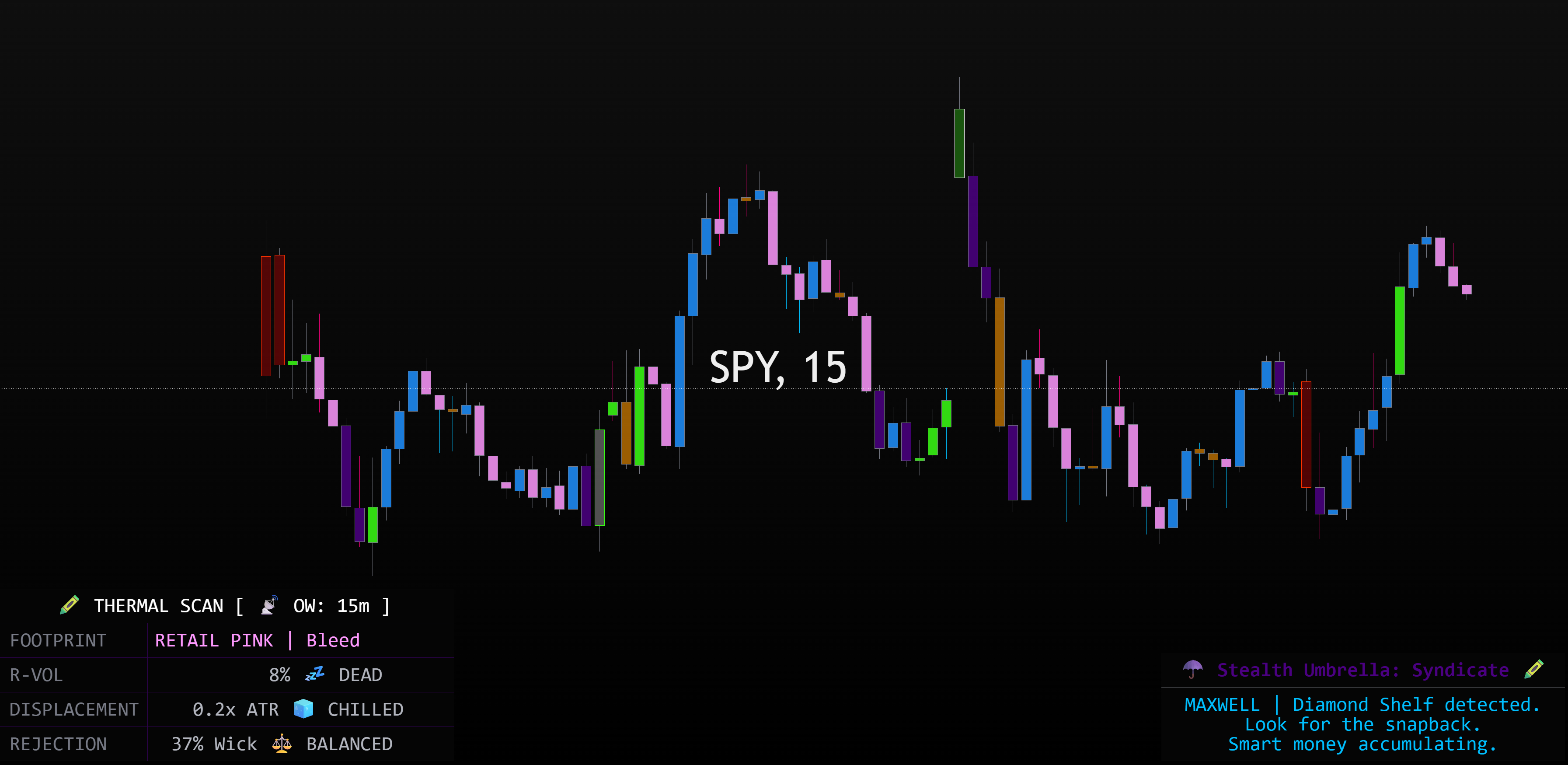
Standard candles only tell you where the price started and ended. They are silent. Crazy Hot Candles are loud. Using Neon Tube Physics and a Kinetic Thermal Scan, this system visualizes the internal pressure of every candle. It translates raw volume, relative volatility, and institutional displacement into a color-coded "Crayon Palette" that reveals the true intent of the market.
⚠️ CRITICAL TRADINGVIEW SETUP (DO THIS FIRST)
To get the true "Heat Map" look, you must adjust your native TradingView candle settings. If you skip this step, TradingView’s default colors will bleed through and ruin the thermal visuals.
- Open your TradingView chart.
- Double-click on any standard candle (or click the Gear icon ⚙️ to open Chart Settings).
- Navigate to the Symbol tab.
- UNCHECK the "Bodies" box.
- UNCHECK the "Borders" box.
- UNCHECK the "Wicks" box.
- Click OK.
📡 The Overwatch Radar: HTF Siphon
The most powerful feature of this system is the Overwatch Radar. In the settings, you can "Siphon" data from a higher timeframe (5m, 15m, 1H, etc.) and project it directly onto your current chart.
If you are scalping the 1-minute chart, your candles will change color based on what the 15-minute institutional money is doing. This allows you to stay in winning trades longer and avoid "fake-out" moves that lack macro backing.
🧪 The Thermal Scan (The HUD)
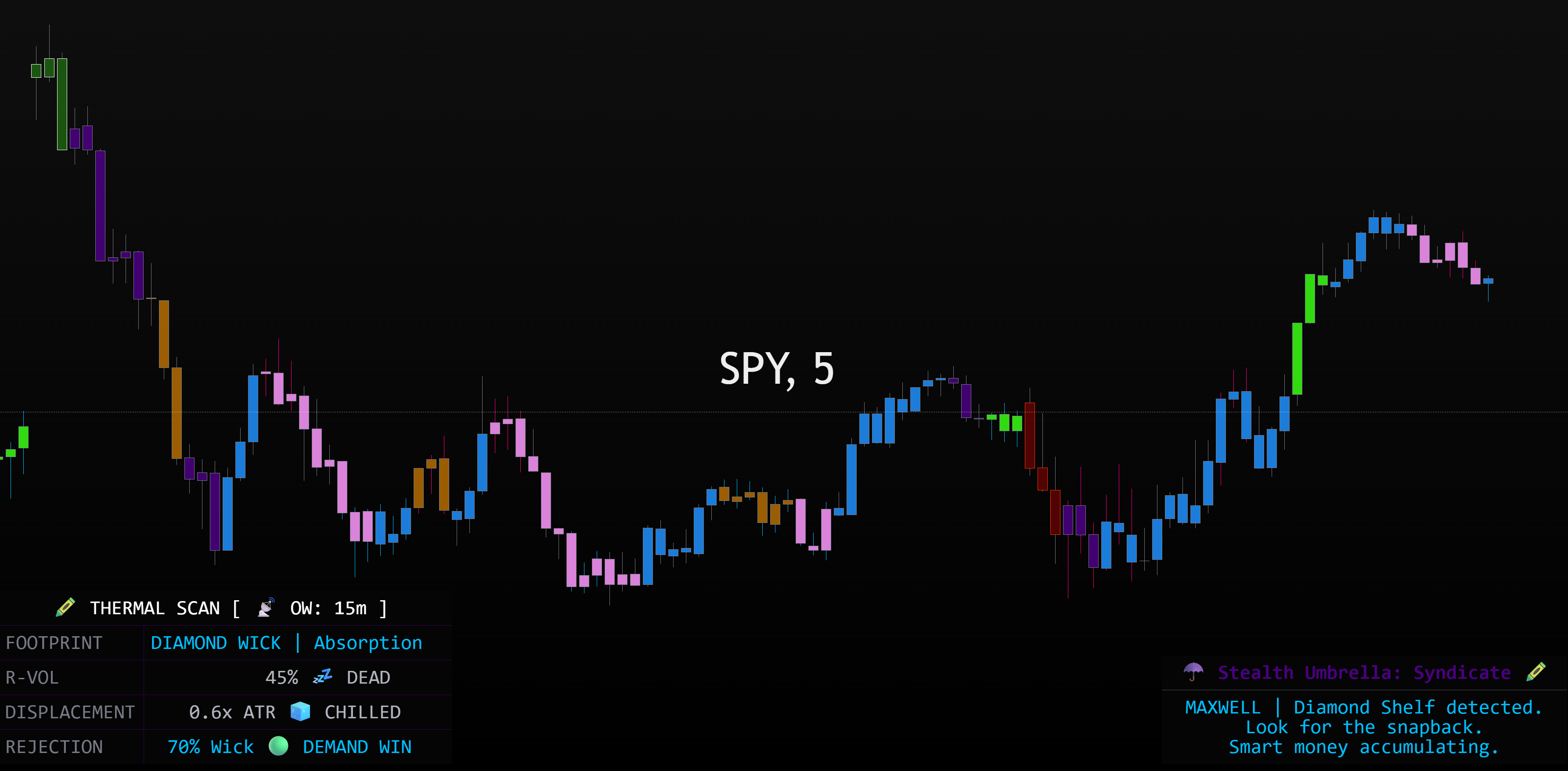
Your bottom-left terminal provides a real-time footprint of the current "Heat" on the tape:
- FOOTPRINT: Identifies the current market phase (e.g., Plutonium Chop, Retail Pink Bleed, or Venom Green Momentum).
- R-VOL (Relative Volume): Tells you if the volume is "Dead," "Elevated," or a "Squeeze" compared to the recent average.
- DISPLACEMENT: Measures the physical distance price has moved relative to its volatility. If it says "Expanding," the candle is physically "stretching" the chart.
- REJECTION: Tracks Toxic Pink (Supply Wins) and Diamond Blue (Demand Wins) based on wick-to-body ratios.
🖍️ The Crayon Palette: Decoding the Colors
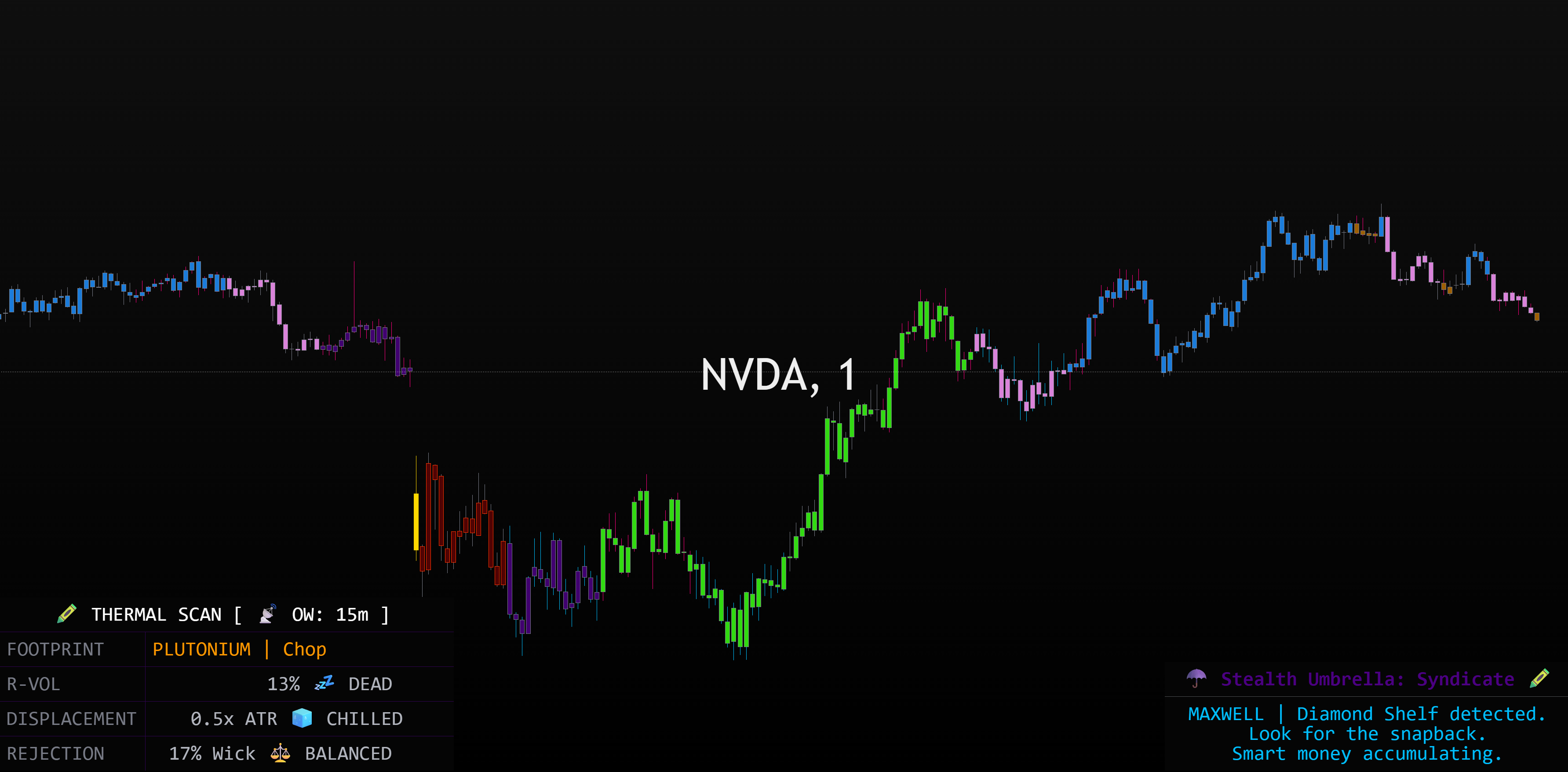
We’ve replaced "Red vs. Green" with a high-fidelity visual hierarchy:
- ⚪ Supernova White: Unhinged momentum. Breakout velocity has been reached.
- 🐍 Venom Green: Institutional Bull Nitrous. Smart money has engaged the algorithms.
- 🔥 Lava Red: Heavy Bear Volume. Total retail capitulation is active.
- 💎 Cobalt Blue: The Algorithmic Grind. Cold, steady accumulation or distribution. No emotion, just business.
- ☂️ Umbrella Purple: Retail Pressure is building. The "Syndicate" is watching for a potential rug pull.
- ⚡ Toxic Pink & Diamond Blue Wicks: Violent rejections. This is where "Bears drop a piano" or "Apes catch the knife."
🏹 How to Trade the Heat (Tactical Instructions)
Read this part carefully, because it's where most people get it backwards. Crazy Hot Candles is confirmation, not a signal generator. The colors don't hand you a trade — they tell you the heat and intent behind a trade you already found. So the order matters:
- Start with your own plan. Do exactly what you always do — your levels, your setups, your structure. Find the trade you'd take with or without this tool.
- Then let the candles confirm it. Once you've got a setup, look for the heat to agree with your plan. Venom Green backing your long, Lava Red backing your short — that's the tape confirming what you already spotted. If the heat contradicts your plan, that's your warning to stand down.
- Watch the wicks at your levels. This is the highest-value read. A Toxic Pink rejection wick into a resistance level you already had marked is a high-probability short; a Diamond Blue rejection at your support is the mirror. The wick tells you who won the fight at a price that already mattered to you.
- Use Overwatch as your veto. If you're long on the 1m but your Overwatch (15m) scan turns Lava Red, you're fighting a macro waterfall — the heat is telling you your plan is swimming upstream. Respect it.
☂️ The Stealth Umbrella Philosophy
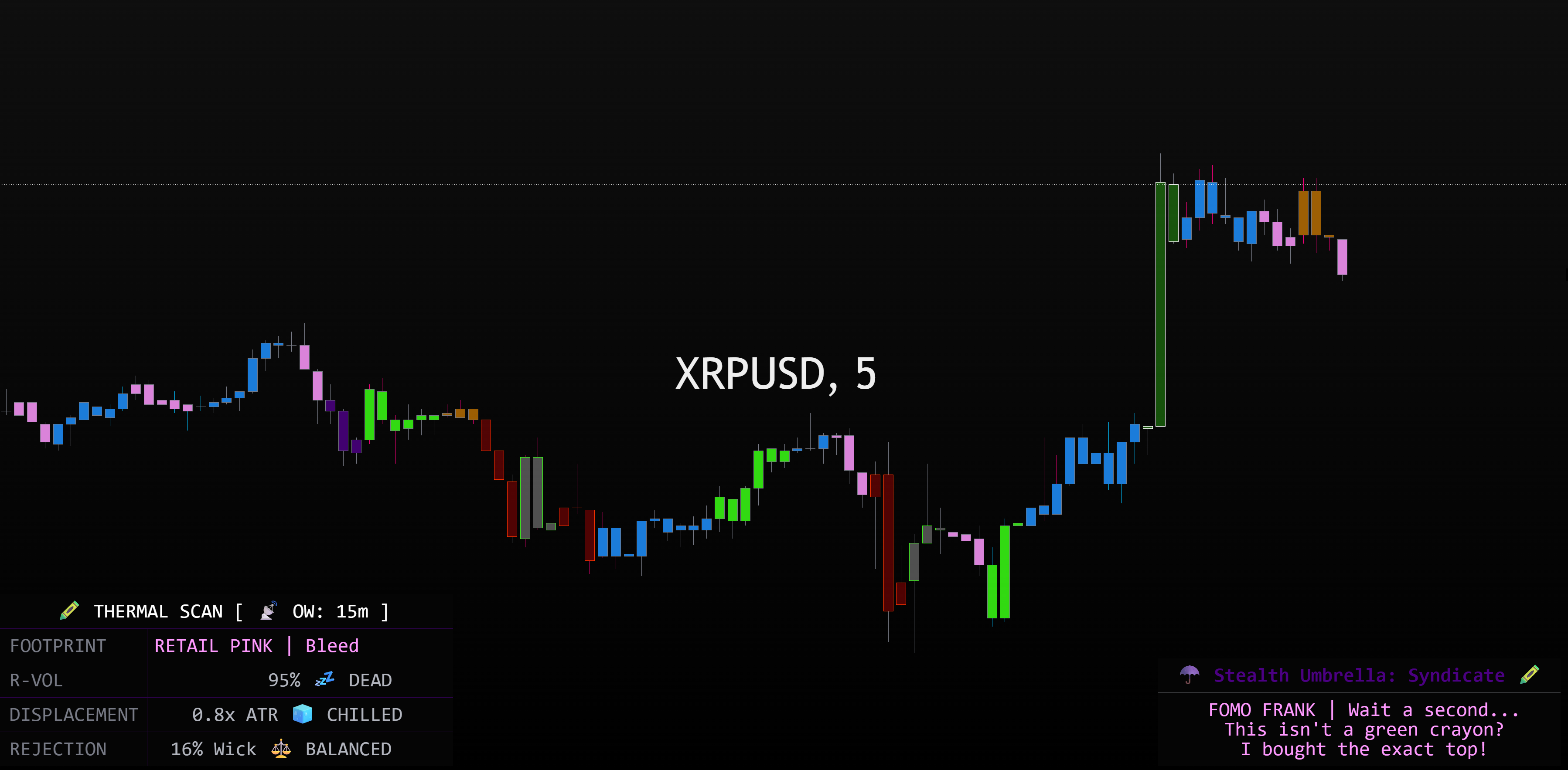
Crazy Hot Candles was designed to make the market's "intent" impossible to ignore. It turns the psychological warfare of the tape into a visual playground.
Put the heat on the glass. Watch the displacement. Hit your daily wage.